
Free under the MIT license.
No paid license or trial countdown. Inspect the source, build it yourself, or contribute through the official GitHub repository.
OPEN SOURCELooking for an IDM free alternative? Download Manager Pro is a free, MIT-licensed Windows download manager built in pure Rust. Compare its parallel downloads, resume and bundled browser extension with IDM before choosing.
SIDE BY SIDE
Both offer segmented downloads and resume. The key differences are licensing, browser setup and video handling—not a promised speed advantage.
| What matters | Download Manager Pro | Internet Download Manager |
|---|---|---|
| Cost and license | Free · MIT open source | Paid license after a 30-day trial |
| Parallel downloading | Up to 32 connections | Dynamic file segmentation |
| Pause and resume | Checks saved partial-file state; restarts if inconsistent | Resumes interrupted downloads |
| Browser integration | Chrome, Edge and Brave; bundled extension loaded unpacked | Integration modules for major browsers, including Firefox |
| Video downloads | yt-dlp integration, HLS/DASH capture and FFmpeg processing | Browser video download panel |
| Platform availability | Windows 10 / 11 · x64 today | Windows |
Feature comparison, not a benchmark. Parallel requests and resume depend on server support. Official documentation checked October 25, 2026.
WHY CHOOSE IT
Choose Download Manager Pro for an open-source Windows engine and a free license. If you need Firefox integration today, the supported browser list is an important difference.
No paid license or trial countdown. Inspect the source, build it yourself, or contribute through the official GitHub repository.
OPEN SOURCEA native Rust engine splits supported files into up to 32 connections. Actual speed depends on your bandwidth and the download server.
SEGMENTED DOWNLOADSSaved progress is checked against the partial file before resuming. Missing or inconsistent state triggers a clean restart, not a corrupt finished file.
VERIFIED RESUME STATEyt-dlp integration, HLS/DASH capture and FFmpeg processing support video downloads. Site restrictions and sign-in requirements still apply.
VIDEO + AUDIO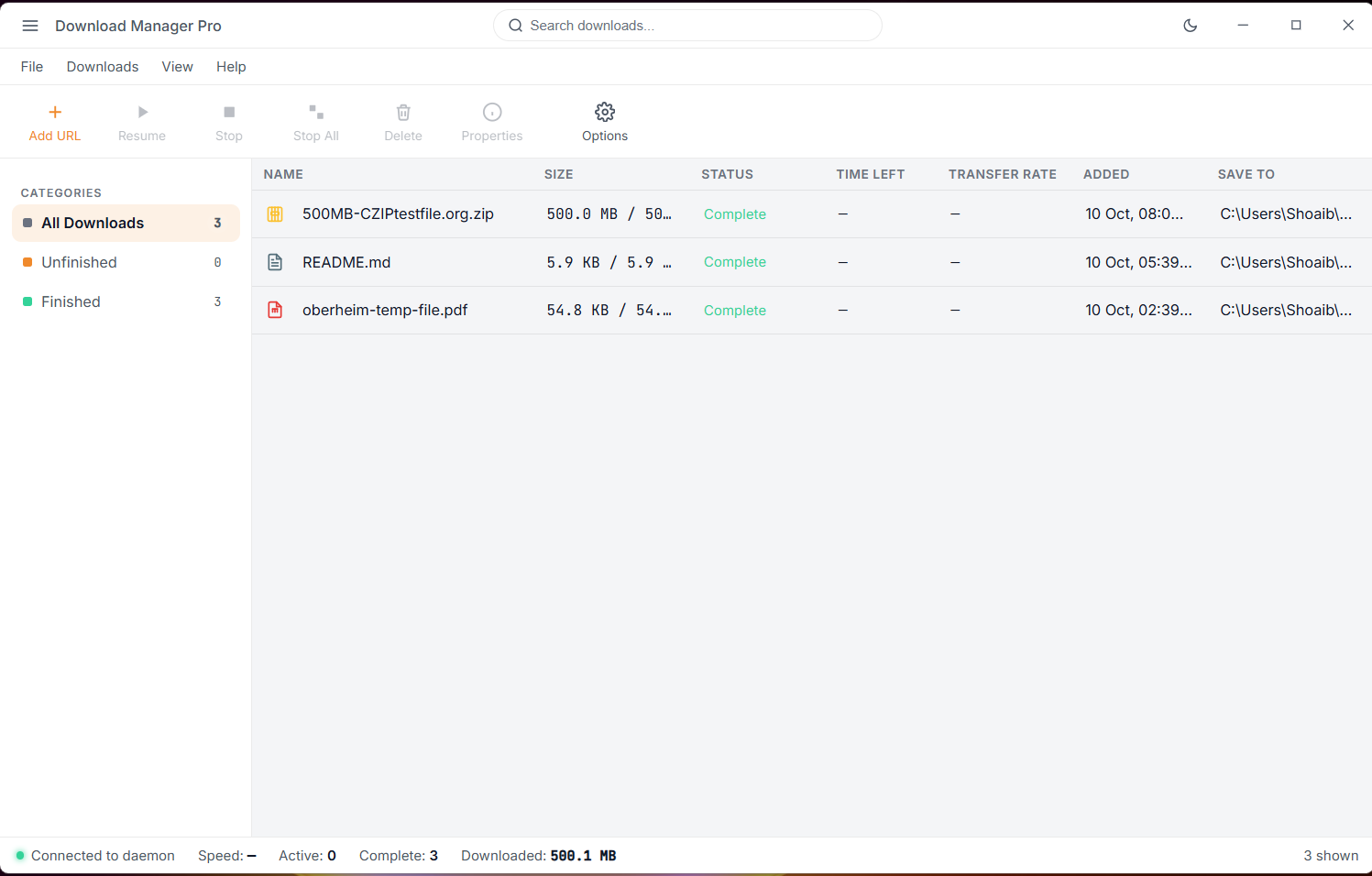
GET STARTED
Available for Windows 10 / 11 (x64). macOS, Linux and Android are not available yet. The browser extension is included in the Windows installer—not a separate download.
%LOCALAPPDATA%\Programs\Download Manager Pro\browser-extension.DownloadManagerPro-Setup-0.1.16.exe
32e56c1c2ee6c7e8e13f0e8cf455983d99be10dc14dae08d43d7bcfceddfb474In PowerShell, run Get-FileHash "path\to\downloaded-file" -Algorithm SHA256 and compare the result above.
NO CRACK NEEDED
Choose a free, open-source alternative instead of modifying a paid product. No serial key or activation patch is needed.
A modified installer from an unknown source cannot be verified as the official software. Download from the project’s release page and check its SHA-256 digest.
Download Manager Pro has no trial countdown or serial key. Install the official Windows release without a crack or an activation patch.
Parallel downloads, resume and browser integration are available under the MIT license. Choose the free alternative, or use IDM with its official license.
FAQ
Yes. Download Manager Pro is free and open source under the MIT license, with no trial period or serial keys. Its source code is available in the official GitHub repository.
It combines up to 32 parallel connections, checked resume state and Chrome, Edge and Brave integration without a paid license. Video handling uses yt-dlp integration and HLS/DASH capture. These are feature differences, not a claim that it is faster than IDM.
The current release supports Windows 10 and 11 (x64). macOS, Linux and Android are not available yet. The installer includes the extension for Chrome, Edge and Brave; enable Developer mode and load the bundled browser-extension folder unpacked.
No. Speed depends on your connection and the server’s support for parallel requests. Resuming depends on the server and valid saved partial-file state; missing or inconsistent state requires a fresh download.
No. Download Manager Pro provides a free, MIT-licensed alternative for parallel downloads and resume without an activation patch. Use its official installer and checksum, or obtain IDM from its official website with the appropriate license.